 Ekasjot_Singh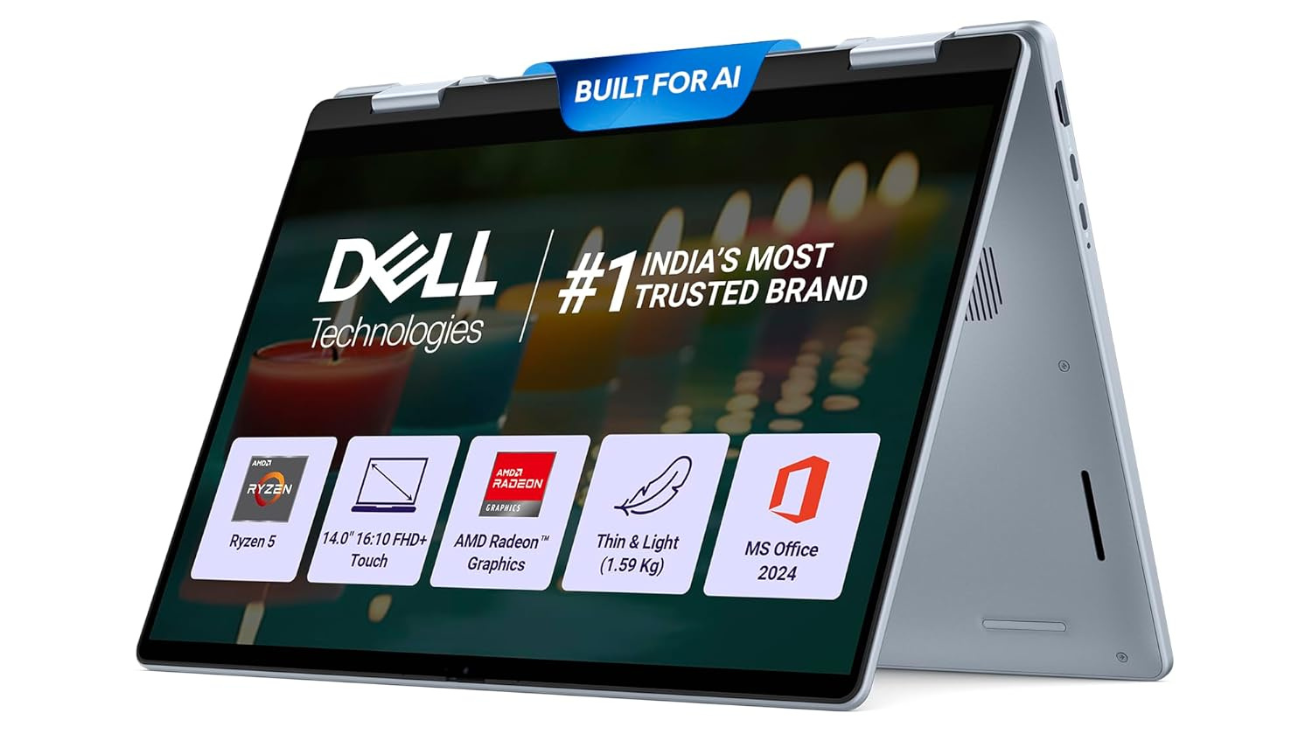
In 2025, laptops are becoming more powerful, more compact, and more intelligent, thanks to the introduction of AI processors and modern hardware technologies. Among the new models launched this year, the Dell DB04255 has captured a lot of attention. It is powered by the AMD R5-340 AI Processor, comes with 16GB LPDDR5X RAM, 512GB SSD, AMD Radeon Graphics, and a 14-inch FHD+ Touchscreen display with 300 nits brightness. On top of that, Dell has added a backlit keyboard with FPS key, 15-month McAfee subscription, and a unique Ice Blue color that makes it look premium and stylish.
This 1.59 kg laptop is designed for students, office users, creators, casual gamers, and anyone who wants great performance in a lightweight body. In this long, easy-to-understand article, we will explore everything about this laptop—design, display, performance, AI features, storage, battery, keyboard, ports, build quality, heat management, audio, camera, and real-life usage.
We will also discuss who should buy this laptop and why it can be a great choice in 2025. This article goes in-depth across every feature and tries to explain it in simple terms, without technical complexity.
1. Design and Build Quality
A Modern and Stylish Ice Blue Finish
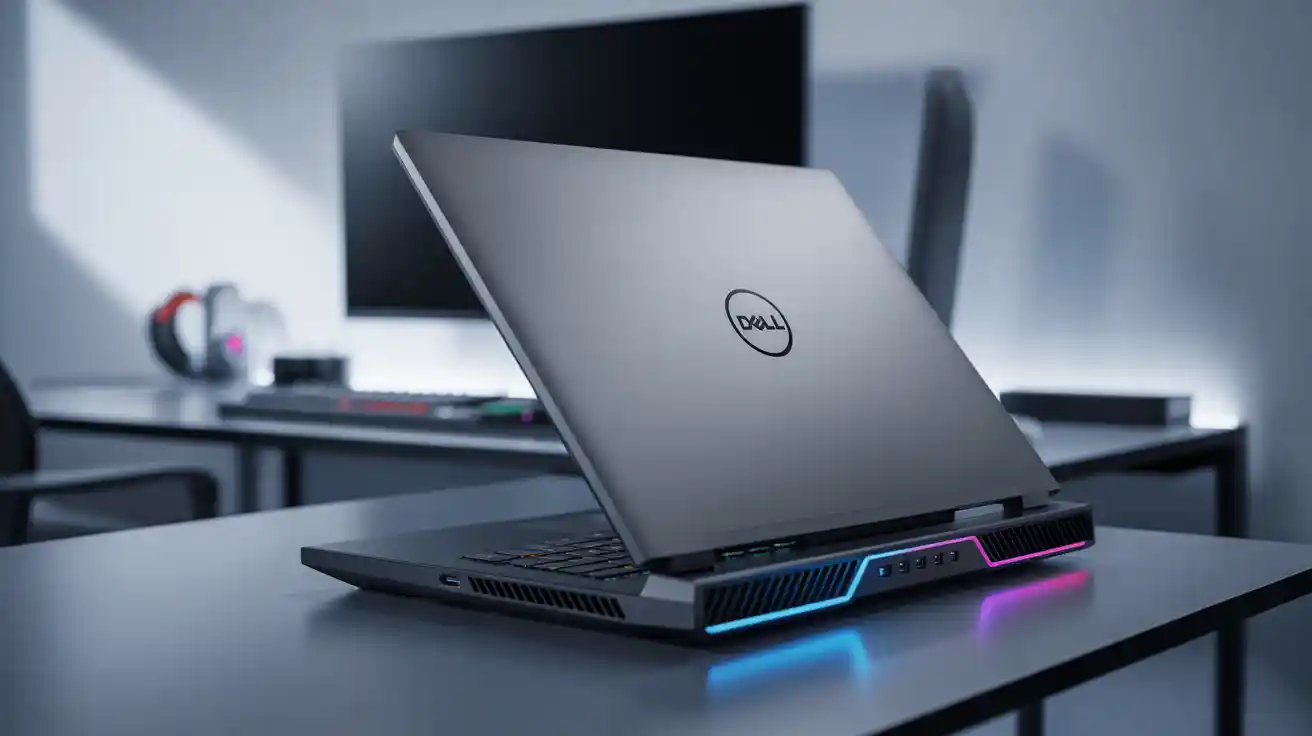
One of the first things you notice about the Dell DB04255 is its beautiful Ice Blue color. It looks fresh, modern, and stands out from the usual grey and black laptops. Dell has aimed this model toward young professionals and students who want their laptop to look unique, and the design certainly achieves this.
Lightweight and Portable
The laptop weighs 1.59 kg, which makes it.
- Light enough to carry in a backpack
- Comfortable for students who travel between classes
- Suitable for office workers who commute daily
- Easy to hold and use on the go
It is not the lightest laptop in the world, but considering that it has a touchscreen, AI hardware, strong build, and a good cooling system, the weight is still very reasonable.
Premium Build Quality
Dell is famous for durable laptops, and this model is no exception. The body feels strong and solid. You can confidently use it for long periods without worrying about.
- Flex on the keyboard
- Weak hinges
- Cracking edges
- Display wobble
The hinge mechanism is smooth and well-designed. You can open the lid using one hand, which is always a sign of good engineering. The touchscreen is protected by strong glass, adding a premium feel to the overall build.
2. Display Quality – FHD+ Touchscreen with 300 Nits
14-inch FHD+ Panel
The Dell DB04255 comes with a 14-inch FHD+ display. The “+” in FHD+ means the screen has a slightly higher resolution or a taller aspect ratio than normal Full HD, giving you more vertical space for productivity.
This is especially useful for:
- Browsing
- Document editing
- Coding
- Multi-tasking
- Watching movies without thick bezels
Touchscreen Feature
Touchscreens greatly improve usability. With this model, you can:
- Scroll using your fingers
- Zoom in on images or documents
- Take notes using touch apps
- Draw simple sketches
- Use Windows 11 gestures
Touchscreens add convenience and productivity for students, artists, and day-to-day office work.
300 Nits Brightness
The screen has 300 nits brightness, which is perfect for:
- Indoor use
- Office environments
- Coffee shops
- College classrooms
While it may not be extremely bright for harsh outdoor sunlight, it is more than enough for regular situations. Color reproduction is good, and the display feels sharp, clear, and comfortable for long reading or study sessions.
Thin Bezels for an Immersive Experience
The Dell DB04255 has modern slim bezels. This gives:
- Better screen-to-body ratio
- A more premium look
- A better experience while watching movies or videos
3. AMD R5-340 AI Processor – The Heart of This Laptop
What is the AMD R5-340 AI Processor?
The R5-340 is part of AMD’s newest range of processors designed with AI acceleration. This means the laptop uses advanced AI technology to.
- Speed up tasks
- Improve battery life
- Better manage performance
- Handle large apps smoothly
AI Boost for Everyday Tasks
AI processing helps in areas like:
- Noise cancellation during calls
- Background blur or auto-framing in video meetings
- Faster photo editing
- Better multitasking
- Quicker app launching
The laptop becomes smarter and performs optimally depending on the type of task you are doing.
Performance for Work and Study
The R5-340 handles daily tasks extremely well:
- Browsing multiple tabs
- Word, Excel, PowerPoint
- Coding environments
- College projects
- Online classes
- Video calls
There is almost no lag even when multitasking heavily.
Good for Light Content Creation
The AI capabilities and strong CPU performance make this laptop suitable for.
- Canva editing
- Photo retouching
- Video trimming
- Document designing
- Poster or social media graphics
While not a professional editing laptop, it is more than enough for students, freelancers, and office users.
4. 16GB LPDDR5X RAM – Superfast Multitasking
Latest Generation Memory
LPDDR5X is one of the fastest types of RAM currently available.
Here’s what it helps with:
- Quicker app launching
- Faster loading times
- Smooth multitasking
- Power efficiency (longer battery life)
- Better performance in heavy workloads
Why 16GB is the Sweet Spot
For 2025, 16GB RAM is ideal for:
- Students
- Office users
- Developers
- Multitaskers
- Light creators
- Casual gamers
Even if you open:
- 20 Chrome tabs
- Word + Excel + PowerPoint
- YouTube
- Spotify
- Background apps
…the laptop manages everything smoothly.
5. 512GB SSD Storage – Fast, Reliable, and Quiet
The Dell DB04255 includes a 512GB NVMe SSD, which offers:
Fast Boot Time
Windows loads in seconds.
Instant App Response
Apps like Chrome, MS Office, and coding tools launch instantly.
Quick File Transfers
Large files move much faster compared to HDDs.
Silent Operation
SSD laptops make no noise, improving your workspace experience.
Low Heat and Better Battery
SSD consumes less power and generates less heat.
For most users, 512GB is enough for documents, photos, software, coding tools, and movies.
6. AMD Radeon Graphics – Good for Entertainment and Light Gaming
Built-in Radeon GPU
The laptop uses integrated AMD Radeon graphics, which are known for.
- Smooth visual performance
- Good video playback quality
- Decent gaming capability
- Efficient power usage
Perfect for Entertainment
You can enjoy:
- Netflix
- Prime Video
- YouTube 1080p/1440p
- Movie editing (light)
- Graphic-heavy websites
Light to Moderate Gaming
You can play games like:
- Valorant
- CS2
- GTA V
- Fortnite
- FIFA
- Apex Legends (medium settings)
It is not a gaming laptop, but handles casual games nicely.
7. Keyboard & Touchpad – Backlit + FPS Key
Backlit Keyboard
The backlit keyboard helps you work at night or in low-light environments.
Keys are:
- Comfortable
- Well-spaced
- Quiet
- Soft to press
Great for long typing sessions.
FPS Key – What is it?
The “FPS” key helps you quickly adjust performance mode:
- High-performance mode
- Balanced mode
- Power-saving mode
You can shift performance depending on tasks.
Large, Smooth Touchpad
The touchpad supports:
- Multi-touch
- Gestures
- Smooth scrolling
- Accurate tracking
Ideal for productivity.
8. Battery Life and Charging
All-day Battery for Students & Office Users
The Dell DB04255 is optimized for long battery life, thanks to:
- AI efficiency
- LPDDR5X RAM
- Power-efficient processor
- Integrated GPU
Expect around:
- 7–9 hours of light usage
- 5–6 hours of moderate work
- 3–4 hours of heavy multitasking
Fast Charging
The laptop supports fast charging, helping you quickly top up battery during.
- Travel
- College breaks
Office meetings
9. Audio Quality & Speakers
Dell laptops usually provide good audio, and the DB04255 is no exception.
Clear and Loud Speakers
Suitable for:
- Online classes
- Meetings
- Movies
- Music
- Casual entertainment
AI Noise Reduction in Microphone
Helps during:
- Zoom calls
- Google Meet
- Skype
- Teams
Your voice stays clear even in noisy environments.
10. Webcam Quality
The laptop includes a decent webcam with:
- Clear video output
- AI features like noise reduction
- Good performance in low light
Works well for:
- Online exams
- Office meetings
- Student presentations
11. Ports and Connectivity
You get all important ports:
- USB Type-C
- USB Type-A
- HDMI
- Headphone jack
- Wi-Fi
- Bluetooth
This ensures compatibility with:
- Projectors
- External monitors
- Hard drives
- Headsets
- Printers
- Smartphones
12. Heat Management
The cooling system is efficient and keeps the laptop stable even when:
- Multitasking
- Running large applications
- Gaming lightly
- Editing videos
Heat is distributed evenly, preventing discomfort on lap.
13. Software and Security
Includes 15-Month McAfee Subscription
This gives:
- Safer browsing
- Virus protection
- Malware scanning
- Secure banking
Windows 11 Smooth Experience
Everything feels:
- Responsive
- Modern
- Stable
AI background tasks help optimize performance automatically.
14. Real-Life Usage Experience
For Students
Perfect for:
- Notes
- Online classes
- Projects
- Presentations
- Coding
- Web research
For Office Users
Ideal for:
- MS Office
- Zoom meetings
- Emails
- Spreadsheets
- Multi-tasking
For Creators
Good for:
- Photoshop (light)
- Canva
- Figma
- Video trimming
For Programmers
Fast compile times and smooth multitasking.
For Casual Gamers
Runs popular games at medium settings.
15. Pros and Cons
Pros
- Lightweight design
- Beautiful Ice Blue color
- Powerful AI processor
- Fast LPDDR5X RAM
- Touchscreen display
- Great battery life
- Backlit keyboard
- Good speakers
- 15-month antivirus
Cons
- Not meant for heavy gaming
- No SD card reader
300 nits is average for outdoor sunlight
16. Final Thoughts – Why This Laptop Is Worth Buying
After evaluating all features, performance levels, real-life usability, and modern AI enhancements, the Dell DB04255 clearly stands out as one of the best mid-range laptops of 2025.
It offers:
- Great AI-powered performance
- Stylish looks
- Lightweight design
- Touchscreen convenience
- Strong battery life
- Excellent multitasking
- Fast storage
- Good graphics performance
- Premium build quality
Most importantly, it doesn’t overheat, lag, or struggle even during heavy usage — something many laptops in this segment fail to deliver consistently.
If you want a laptop that feels modern, fast, easy to use, and reliable—this Dell model is absolutely worth buying.
It is built for real people, real work, and real daily life, not just marketing numbers.
In simple words:
This is a smart, fast, future-ready laptop that gives excellent value for money.