 Ekasjot_Singh
Introduction — simple and straight
When you want to build or buy a PC, one of the first choices you face is which brand to trust for parts. Two big names that come up over and over are ASUS and MSI. Both make excellent parts for gaming PCs, content-creation machines, and powerful workstations. But which one is best?
This article will help you decide. I’ll explain, in simple language, the strengths and weaknesses of each brand across the main PC components: motherboards, graphics cards, cooling, PC cases, power delivery (if applicable), software/ecosystem, warranties, and support. I’ll also give clear recommendations for different types of users — gamers, streamers, creators, budget builders, and people who like to tinker and overclock.
By the end you’ll understand:
- Where ASUS usually shines,
- Where MSI usually shines,
- Which brand to pick for each component and each kind of user,
- Practical tips for buying and maintaining components.
Let’s get started.
How I compare them — the basics
Before diving into details, here’s the simple method I use in this article:
- Component-by-component comparison. I look at one type of part at a time (motherboard, GPU, cooler, etc.).
- Real-world factors: reliability, features, BIOS/software, build quality, performance, price, and user support.
- User type: I recommend different brands for different needs — e.g., a budget builder might value price while an overclocker cares about VRM quality and BIOS features.
- No absolute winner: Both brands have flagship parts and budget parts. The “best” depends on your priorities.
Quick elevator summary (if you’re in a hurry)
- Motherboards: ASUS often leads in features and BIOS polish (especially ROG/Strix for gamers and ProArt/WS for professionals). MSI also makes strong boards (MEG/MPG/MAG) and sometimes offers better value at certain price points.
- Graphics cards (AIB GPUs): Both ASUS and MSI make top-tier custom GPUs. ASUS ROG Strix and TUF are known for premium cooling and quiet operation; MSI Gaming Trio / Suprim are known for strong cooling and often attractive pricing. Performance differences are usually small — choose based on cooling, noise, warranty, and price.
- Cooling (AIO and air coolers): ASUS has strong AIOs (ROG and TUF), and good air coolers via third parties or partnerships. MSI also offers AIOs and air coolers; its focus is often on value and gamer-oriented designs.
- PC Cases & Accessories: MSI provides more gamer-focused cases and accessories than ASUS in many markets. ASUS cases exist but are less common.
- Software & ecosystem: ASUS Armoury Crate is feature-rich but can feel heavy; MSI Center is improving and often lighter. Preference is personal.
- Support/warranty: Both offer good warranties, but experiences vary by region. Check local service quality before buying.
- Verdict: No universal winner. Pick ASUS for premium features, polished BIOS, and strong flagship products. Pick MSI for value, competitive pricing, and gamer-focused design. For many builds, the choice comes down to specific model, price at purchase, and local warranty/service.
Now let’s expand every point in detail.
1. Motherboards — heart of the PC
Why motherboards matter
A motherboard decides what CPU you can use, how many drives, RAM speed, expansion cards, and how good your power delivery (VRM) is — which matters for performance and stability. It also houses the BIOS/UEFI, which controls overclocking and system behaviour.
ASUS motherboards — strengths
- ROG (Republic of Gamers) and TUF lines are very popular.
- ROG Strix / Maximus / Crosshair: Premium gaming and enthusiast boards with lots of features (advanced power delivery, high-quality audio, multiple M.2 slots, strong BIOS options).
- TUF: Focus on durability and value — good build quality and typically slightly cheaper than ROG.
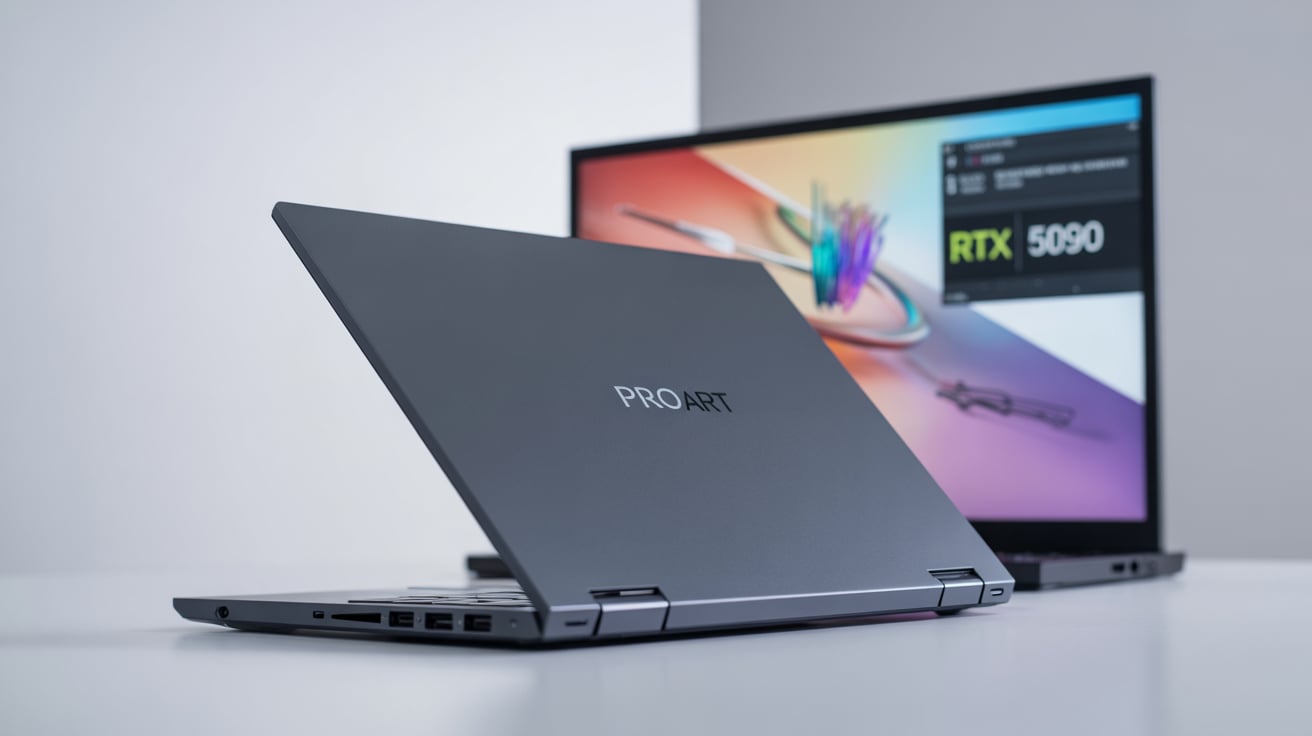
- ProArt / WS: For creators and workstations — features oriented towards stability, connectivity, and creative workflows.
- Stable and mature BIOS: ASUS is often praised for a polished, full-featured UEFI with clear options for overclockers and newbies alike (EZ Mode vs Advanced).
- Feature-rich: Lots of integrated features: Wi-Fi modules, Thunderbolt (on some boards), robust networking, and premium audio on higher-end boards.
- Premium design and extras: Heatsinks, reinforced PCIe slots, friendly layout for cable management.
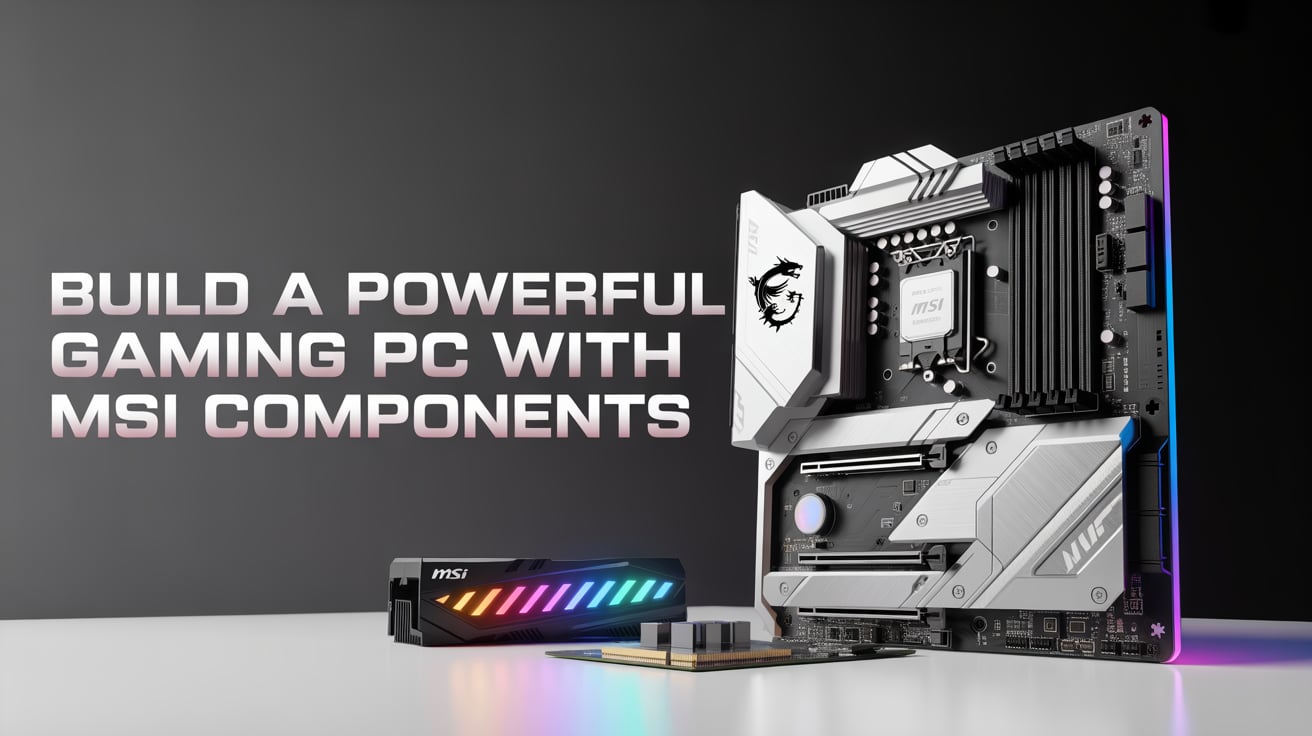
MSI motherboards — strengths
- MEG / MPG / MAG lineup.
- MEG: Enthusiast-class boards that compete with ASUS ROG.
- MPG: Mid-high tier; good balance of features and price.
- MAG: Budget / mid-range with focus on value and functionality.
- Good VRM quality on many models: MSI often provides strong power components, especially on MEG boards targeted at overclockers.
- BIOS improvements: MSI’s Click BIOS and BIOS features have improved, offering robust overclocking controls and user-friendly layout.
- Value: MSI often offers similar hardware for a bit less, or gives a better price-to-features balance.
Head-to-heads and real-world tips
- For extreme overclocking, check the specific board model and VRM specs rather than trusting brand alone. ASUS ROG and MSI MEG are both capable.
- For budget builds, MSI’s MAG and MPG boards often give more bang for the buck. ASUS TUF boards also offer value but sometimes cost a bit more.
- For content creators and workstations, ASUS ProArt and ASUS WS boards are excellent; MSI also has work-oriented boards but ASUS often has more creative-focused features.
- BIOS friendliness: ASUS tends to be more polished out-of-the-box. If you value a very user-friendly BIOS for tweaking, ASUS has a slight edge.
Recommendation for motherboards
- Gamers who want the best features and easy BIOS: ASUS ROG/Strix or ASUS TUF (higher-end TUF).
- Budget-conscious gamers or builders wanting value: MSI MPG / MAG.
- Overclockers & enthusiasts (pricey builds): Compare VRM specs — ASUS ROG and MSI MEG both strong; pick model with better VRM cooling and more power phases.
- Creators/workstations: ASUS ProArt/WS often has specialist gear; MSI has options too.
2. Graphics cards (AIB — ASUS vs MSI custom PUs)
Important context
GPUs (the chip) are made by NVIDIA or AMD. ASUS and MSI are AIB partners who make custom versions of those GPUs — with custom coolers, PCBs, clocks, and factory overclocks. So differences are in cooling, noise, aesthetics, and price — not in the underlying GPU architecture.
ASUS custom GPUs — strengths
- ROG Strix: Premium models with large triple-fan coolers, often excellent cooling and low noise. They usually come with higher factory overclocks and premium build quality.
- TUF Gaming: Slightly cheaper than Strix, but still solid — durable design, good cooling, and a cleaner aesthetic.
- Strong cooling and quiet operation: Many users praise ASUS Strix cards for low temperatures and quiet fans.
- Unique aesthetics: RGB and design that pairs well with ASUS motherboards.
MSI custom GPUs — strengths
- Gaming Trio / Suprim / Ventus lines:
- Gaming Trio / Suprim: High-end cooling and performance; Suprim models are premium and often compete with ASUS Strix.
- Ventus / Gaming X: Mid-range to high-range; good cooling and value.
- Good pricing & availability: MSI often competes strongly on price and sometimes offers better bundle deals.
- Build quality: Solid, with good stray-component cooling and sometimes better warranty options.
Real-world points
- Performance differences are small: A Strix vs a Gaming Trio with the same GPU model usually differ by a few percent at most. Choose based on cooling, noise, design, and price.
- Thermals & noise: Both brands make very quiet and cool top-end cards. Check reviews of the specific model for thermals and fan behavior.
- Warranty & RMA: Warranty length and RMA service can vary by region. Sometimes MSI or ASUS will have a better local service center — check local experiences.
- Size & fit: High-end cards can be very long and thick; check your case compatibility. MSI sometimes makes slightly shorter designs (Ventus) that fit small cases; ASUS Strix cards are often larger.
Recommendation for GPUs
- If cooling & low noise matter most: ASUS ROG Strix or MSI Suprim — both excellent.
- If price/value matters: MSI Gaming X / Ventus or ASUS TUF (watch deals).
- If you want a compact card for small builds: Look at MSI Ventus or smaller TUF/custom compact models.
Always: Read the model-specific reviews (thermals, noise, power draw) before buying.Lorem ipsum dolor sit amet, consectetur adipiscing elit. Ut elit tellus, luctus nec ullamcorper mattis, pulvinar dapibus leo.
3. CPU coolers and AIO liquid coolers
Why it matters
A good cooler keeps CPU temperatures low, which helps performance, quietness, and longevity. You can pick air coolers (like tower coolers) or AIO liquid coolers (closed-loop).
ASUS coolers
- ASUS often sells AIO coolers under the ROG and TUF labels. These AIOs are usually feature-rich (ARGB lighting, integrated software control, sleek pump design).
- ASUS partners with well-known cooler manufacturers for air designs; they may rebrand or collaborate.
MSI coolers
- MSI offers AIOs and some air coolers, often aimed at gamers with RGB and marketing design.
- MSI’s AIOs are competitive on price and design.
Real-world comparison
- Performance: For a given radiator size (120/240/360 mm), performance differences between ASUS and MSI AIOs are usually small. Pump design and radiator thickness matter most.
- Software and RGB: Both brands implement RGB integration and software control. Which you prefer depends on your motherboard ecosystem (ASUS Armoury Crate vs MSI Center).
- Reliability: AIO reliability can vary; long-term failure is possible with any brand. Look for models with good reviews and longer warranty.
Recommendation
- Choose the size and radiator performance you need first. For example, heavy overclocking → 360mm AIO or a very strong air cooler. Then pick ASUS or MSI based on price, aesthetics, and how well their software integrates with the rest of your system.
4. PC cases, PSU & accessories
PC cases
- ASUS: Has some cases, but is more limited in variety compared to MSI. ASUS cases often focus on aesthetics that pair with ROG/TUF builds.
- MSI: Makes a wider range of gamer-centric cases in many markets. MSI’s cases tend to be competitively priced and often include gamer styling and RGB.
If case design, features (like removable HDD cages, good airflow), and price are important, check both brands, but MSI usually offers more case options in the mid-range gamer segment.
Power supplies (PSUs)
- MSI and ASUS have had PSUs in some markets, but PSUs are often made by specialist manufacturers (Corsair, Seasonic, Cooler Master, EVGA where available). For PSUs, brand reputation for power supplies matters more than motherboard/GPU brand loyalty. I recommend choosing a reputable PSU maker (Seasonic, Corsair, be quiet!, Antec, etc.) and checking wattage, efficiency (80 Plus rating), and warranty.
Tip: Don’t cheap out on the PSU. A high-quality PSU prevents crashes and protects components.
Accessories (keyboards, mice, monitors)
- Both brands offer gaming keyboards, mice, monitors, and headsets. Choose based on features, ergonomics, and price.
- For monitors, ASUS has strong options in higher-end gaming and professional colour-accurate monitors (ProArt), while MSI focuses on gamer monitors with high refresh rates and competitive features.
5. Software & ecosystem — Armoury Crate (ASUS) vs MSI Center
ASUS Armoury Crate
- All-in-one: Controls RGB, fan curves (when supported), updates drivers, and manages ASUS peripherals.
- Feature-rich: Offers profiles, game integrations, and Aura Sync for RGB.
- Downside: Some users find it heavy and occasionally buggy. Installation and driver updates can be intrusive.
MSI Center
- Simplified approach: Aims to centralize settings — Mystic Light for RGB, Dragon Center used to exist, now MSI Center.
- Lightweight improvements: MSI has been working on making the software more stable and less intrusive.
- Feature set: Covers what most gamers need — fan curves, RGB, performance modes.
Which is better?
- Personal preference. If you already have an ASUS motherboard, Armoury Crate integrates deeply. If you have MSI components, MSI Center is convenient.
- Some users prefer third-party software like OpenRGB to avoid heavy vendor software.
6. Build quality, durability and aesthetics
Build quality
- High-end ASUS and MSI models are both built to high standards. Think metal backplates, reinforced PCIe slots, and premium components.
- Consistency varies by model and price. A high-end ASUS Strix motherboard will likely feel more premium than a cheap MSI MAG board, and vice versa.
Durability
- Long-term durability depends on component grade, how you use the PC, cooling, and power quality. Both brands produce durable parts — but check user reviews and warranty.
Aesthetics
- ASUS ROG tends to have a more “polished” premium look; TUF goes for rugged industrial style.
- MSI uses gamer aesthetics with dragon logos and RGB accents; Suprim has a more muted premium look.
7. Price and value
Pricing generally
- ASUS flagship models sometimes cost more because of extra features and brand positioning.
- MSI often matches features but can be slightly cheaper or has better bundle deals.
- Sales and stock levels greatly affect final price. Sometimes a MSI board or GPU will be on sale and beat ASUS in value.
Value advice
- Don’t buy brand blindly. Compare features per price. Look at VRM specs on motherboards, cooling and thermal performance on GPUs, and reviews.
- For many buyers, MSI offers better value in the mid-range. ASUS often leads in best-in-class options.
8. After-sales service and warranty
Warranty length
- Both brands provide standard warranties that vary by product and region. Higher-end products sometimes have longer or enhanced warranties.
- Warranty terms change by country — always check the warranty period and what it covers before buying.
Service quality
- This varies by region and retailer. Sometimes a brand’s local service can be great, or it can be slow. Local forums and community groups can provide insight into real-world service quality.
Practical tip
- If warranty service is important to you, ask local stores about RMA turnaround times and read user experiences in local communities.
9. Which brand is best for different users?
I’ll break it down by user type so you can pick faster.
Budget builder / first-time builder
- Go with MSI (MPG/MAG) or ASUS TUF if you find a good deal.
- Look for good value motherboards and GPUs. MSI often offers more aggressive prices on mid-range parts.
Gamer who wants the quietest, coolest performance
- ASUS ROG Strix and MSI Suprim/Gaming Trio are both excellent. Choose the specific model with the best thermals/noise from reviews.
- For motherboards, ASUS ROG or MSI MEG depending on feature and price.
Content creator / professional
- ASUS ProArt and workstation boards often include features creators love (multiple high-speed M.2, Thunderbolt options on some boards, good networking).
- MSI has options, but ASUS often focuses more on the creator market.
Overclockers and tinkering enthusiasts
- ASUS ROG and MSI MEG both work well. Choose the board with the best VRM and the most stable BIOS options.
- Check community feedback on overclocking stability.
Small form factor (mini-ITX) builder
- Both brands make mini-ITX boards and some smaller GPUs. Check exact card length and cooling. MSI sometimes has more compact GPU designs.
People who want custom aesthetics / RGB synchronization
- If you already have an ASUS motherboard, Armoury Crate pairs well with ASUS GPUs and peripherals.
- If you prefer MSI look and software, MSI Center integrates with MSI RGB gear.
10. Detailed component-by-component verdict (short list)
- Motherboard (overall): ASUS edges ahead for feature richness and BIOS polish; MSI offers excellent value and competitive high-end options.
- GPU cards: Tie — pick model by cooling, noise, and price. ASUS Strix and MSI Suprim both excellent.
- CPU coolers: Tie — performance depends on radiator size and model, not brand logo.
- Cases: MSI often has more gamer-focused case choices. ASUS has fewer but premium-looking cases.
- Peripherals (monitors/keyboards/mice): ASUS has strong monitors (especially professional-grade); MSI is strong on gamer monitors and bundles.
- Software: Personal preference. Armoury Crate is feature-rich but heavy; MSI Center is leaner and improving.
- Value: MSI often better value in mid-range; ASUS shines at premium and specialized boards.
11. Buying checklist — what to compare for each component
When comparing a specific ASUS model vs an MSI model, use this checklist:
Motherboard
- Chipset & socket compatibility
- VRM specification (phases, cooling)
- Number and type of M.2 slots
- PCIe lanes (PCIe 4.0/5.0 support)
- RAM speed support and number of slots
- Rear I/O (USB Type-C, Thunderbolt, Wi-Fi)
- BIOS features and ease of update
- Form factor (ATX, mATX, ITX)
- Price and warranty
GPU
- GPU model (e.g., RTX 4080, RX 7900 XT)
- Cooling solution (number of fans, heatpipe design)
- Factory overclock (boost clock)
- Power connectors and TDP
- Card dimensions (length, thickness)
- Thermal & noise reviews
- Local warranty and RMA policy
Cooler
- Radiator size (for AIO)
- Fan specs and RPM range
- Pump reliability (reviews)
- Clearance (for tower coolers)
- Software controls and RGB
Case
- Motherboard compatibility
- GPU clearance
- Airflow (fan positions, dust filters)
- Build quality and cable management
- Front I/O (USB ports)
- Aesthetics & RGB
PSU
- Wattage & headroom
- Efficiency rating (80 Plus Gold/Platinum)
- Modular cables
- Quality and protections (OCP, OVP)
12. Maintenance tips and how to keep either brand running well
- Keep drivers and BIOS updated, but don’t update BIOS unless necessary for compatibility or fixes.
- Clean dust every few months — dust raises temperatures and noise.
- Monitor temps using software (HWMonitor, HWiNFO, or vendor software).
- Check warranty activation if required in your region (some companies need product registration).
- Use good ventilation: Case airflow is often more important than a single premium cooler.
13. Frequently Asked Questions (FAQs)
Q: Is ASUS better than MSI overall?
A: No single answer. ASUS often leads in premium features and BIOS polish. MSI often offers better value in mid-range. It depends on the specific model and your needs.
Q: Which brand has better BIOS?
A: Many users find ASUS BIOS more polished and beginner-friendly. MSI BIOS has improved significantly and is robust for enthusiasts too.
Q: Do ASUS GPUs perform better than MSI GPUs?
A: Performance differences are small. Differences are usually in cooling, noise, and clocks. Check model reviews.
Q: Which brand has better customer service?
A: Service quality varies by country and region. Check local user reviews to see which brand has better RMA service in your area.
Q: Should I pick components all from one brand?
A: Not necessary. Many builders mix brands (e.g., MSI GPU with ASUS motherboard) with no issues. The only real integration point is RGB and software synergy; otherwise, components are cross-compatible.
14. Common myths and clarifications
Myth: ASUS is always more reliable.
- Reality: Both brands produce reliable parts. Reliability depends on the specific product, manufacturing batch, and user handling.
Myth: MSI is only for budget builds.
- Reality: MSI has premium MEG and Suprim lines that compete with top ASUS products.
Myth: Using ASUS motherboard + ASUS GPU gives better performance.
Reality: No. Performance depends on the GPU and CPU, not brand matching. Matching brands only matters for software and RGB convenience.
15. Example build recommendations (based on needs)
These are short, example builds showing which brand might fit a typical buyer. These are illustrative — exact models and prices change over time.
A) Budget gamer (Good 1080p / 1440p)
- Motherboard: MSI MAG B-series (value board with decent VRM)
- GPU: MSI Ventus or ASUS TUF (whichever has better price)
- Cooler: Good low-cost air cooler from a reputable brand
- Case: MSI or third-party budget case
- Why: MSI gives good value for the motherboard; GPU depends on best price.
B) Competitive esports gamer (high refresh rate 1080p)
- Motherboard: ASUS TUF or ROG Strix (stable and low-latency)
- GPU: ASUS ROG Strix (quiet, cool)
- Cooler: 240/360mm AIO if overclocking; otherwise strong air cooler
- Why: ASUS’s BIOS and stability help when tuning for max FPS and low latency.
C) Content creator (video editing, rendering)
- Motherboard: ASUS ProArt or high-end ASUS ROG that supports plenty of M.2 and I/O
- GPU: MSI Gaming Trio or ASUS Strix depending on the GPU model and price
- Storage: Multiple NVMe drives
- Why: ASUS’s ProArt boards focus on content workflows and connectivity.
D) Enthusiast overclocker
- Motherboard: MSI MEG or ASUS ROG Maximus/Crosshair series
- GPU: MSI Suprim or ASUS ROG Strix
- Cooling: High-end AIO or custom loop
- Why: Both brands provide top-tier hardware for extreme tuning — choose based on VRM and cooling specs.
16. How to choose the exact model — step-by-step
- Set a budget for the build.
- Pick CPU & GPU first — these decide the platform and motherboard needs.
- Choose a motherboard matching the CPU socket/chipset and with features you need (M.2 slots, USB, Wi-Fi).
- Compare specific models from ASUS and MSI:
- Look at VRM specs, cooling, PCIe layout, and rear I/O.
- Read two or three trusted reviews for each board.
- Pick GPU model by thermals/noise and price at the time of purchase.
- Check dimensions — will the GPU fit in your case? Will the cooler fit the RAM clearance?
- Consider software and RGB — do you prefer Armoury Crate or MSI Center?
- Check warranty and local support for both brands.
- Buy from a retailer with a good return policy.
17. Final verdict — plain and easy
Both ASUS and MSI make excellent PC components. Neither is the single “best” brand for everything. Here’s a very simple rule:
- If you want premium features, a polished BIOS experience, and are building a high-end gaming or creative PC: lean ASUS — especially in the ROG, Strix, or ProArt lines.
- If you want best value, competitive mid-range options, and strong gamer-focused designs: lean MSI — especially in the MPG/MAG and Gaming/Trio lines.
- For GPUs, pick the exact model with the best cooling, noise, and price — both brands often offer the top variants.
- For motherboards, review VRM quality and I/O and don’t be guided by brand alone.
Think of ASUS as “premium first” and MSI as “value and performance” with premium options too. The right choice depends on which exact model is available at the best price when you buy and what features you need.