 Ekasjot_Singh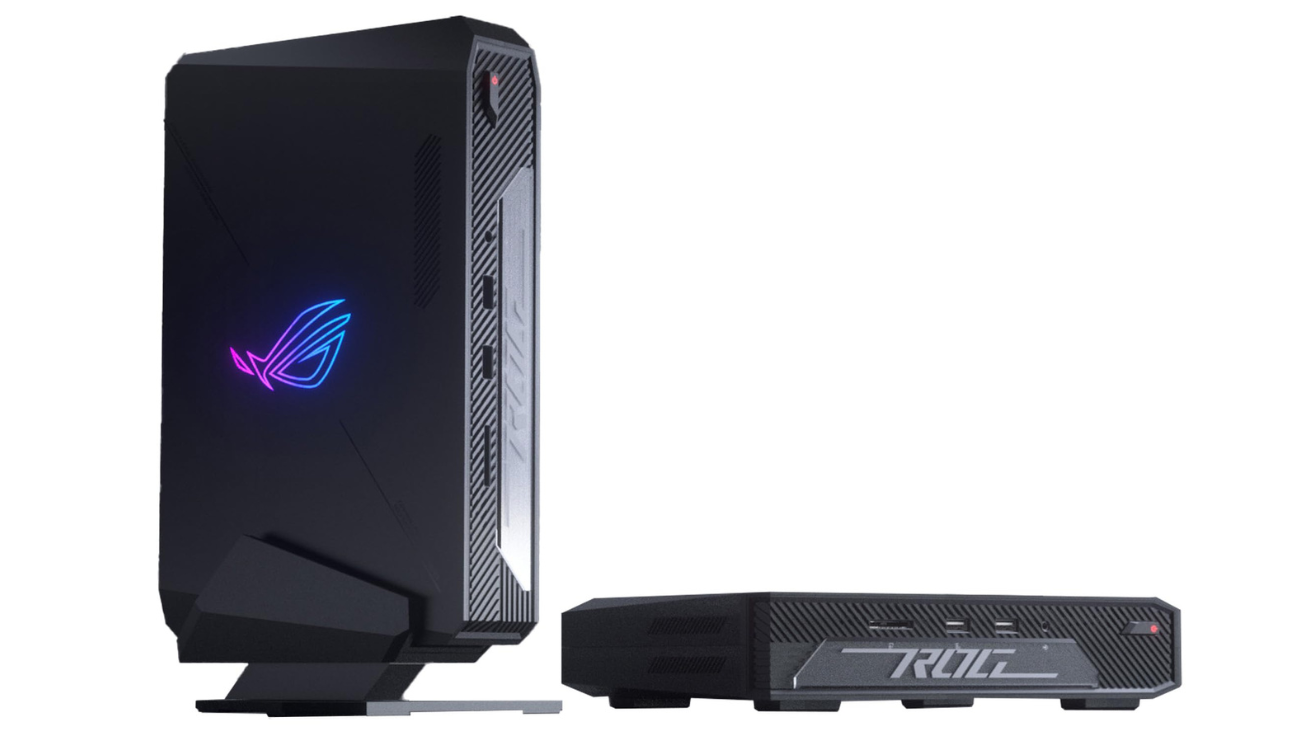
The world of gaming computers has changed a lot in recent years. Earlier, gamers needed huge desktops with big cabinets, large cooling fans, and heavy power supplies to run modern games. But today, powerful gaming systems are getting smaller and smarter. Mini PCs are now capable of giving the same performance as traditional gaming desktops — and sometimes even better.
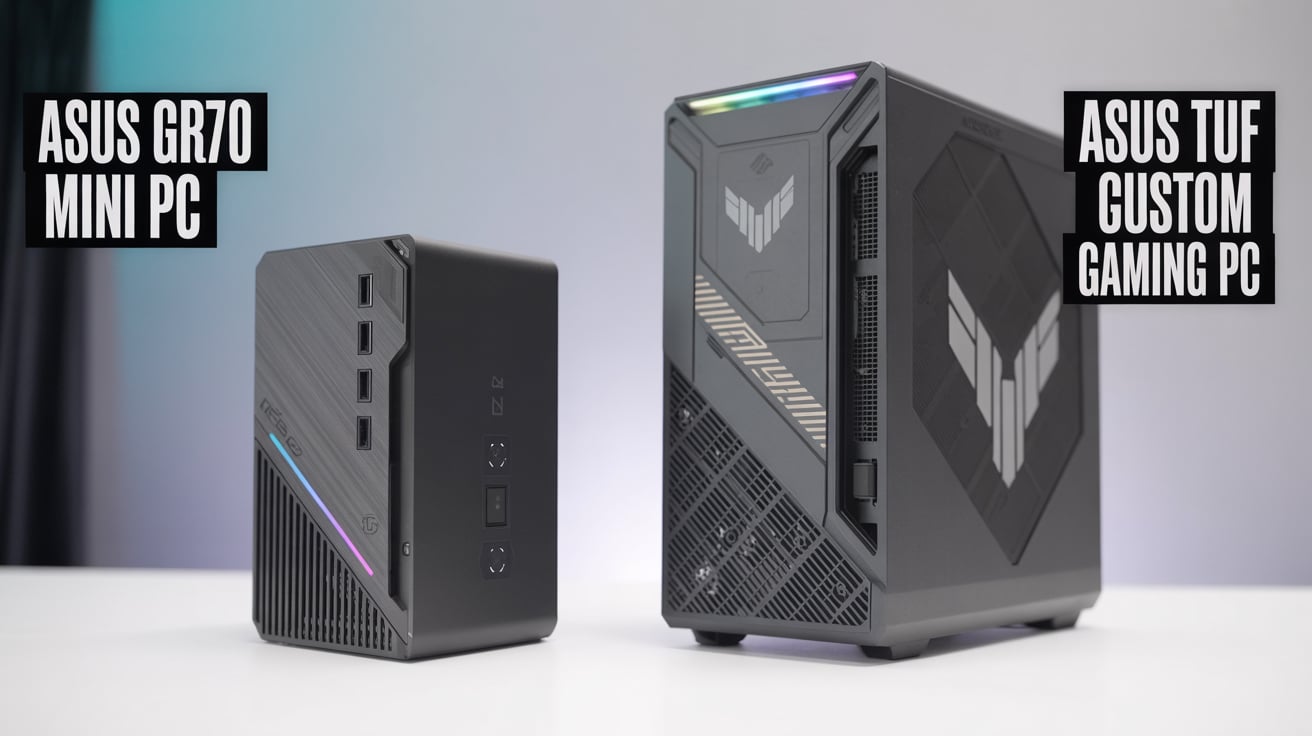
ASUS, one of the world’s most popular gaming brands, is leading this small-form-factor revolution. Under its Republic of Gamers (ROG) brand, the company has introduced two exciting mini PCs — the ASUS ROG GR70 Mini PC and the ASUS ROG NUC Gaming PC.
Both machines are built for gamers and creators who want powerful performance in a compact size. But even though both belong to the same ROG family, they are quite different in design, processor, and usage.
In this long, detailed article, we’ll compare ASUS ROG GR70 Mini PC and ASUS ROG NUC Gaming PC in simple language. We’ll cover design, hardware, graphics, gaming performance, heat management, ports, upgradability, pricing, and which one is better for your needs.
So, let’s begin our journey into the world of small but mighty gaming machines.
1. Overview of Both Mini PCs
Before jumping into the comparison, let’s briefly understand what each model represents.
ASUS ROG GR70 Mini PC
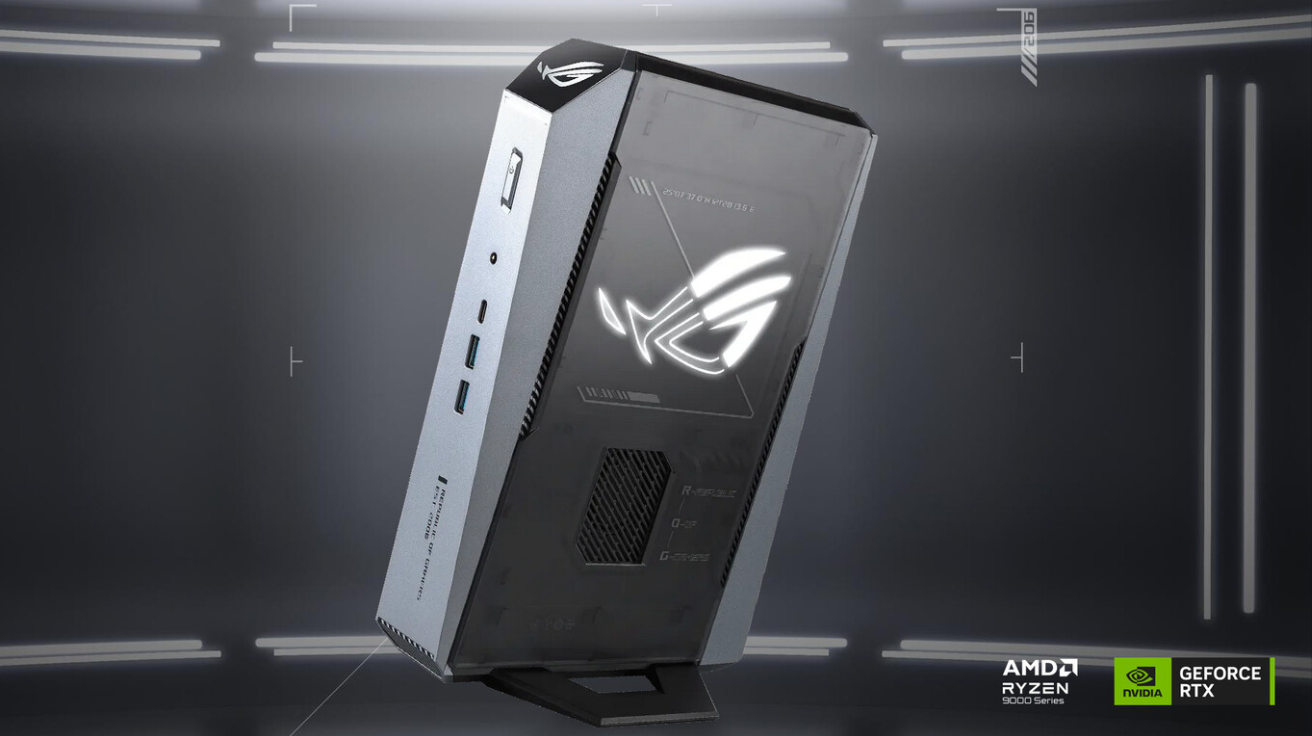
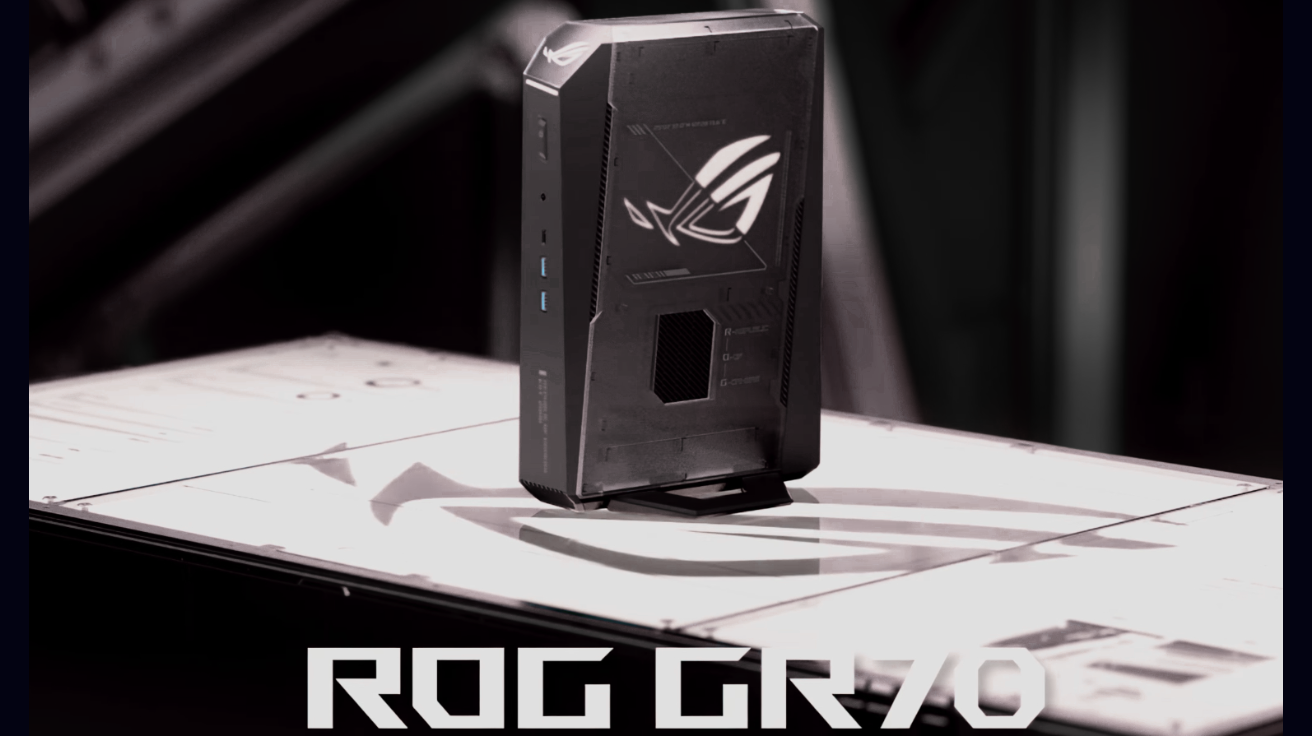
The ROG GR70 is the newest member of ASUS’s mini gaming PC lineup. It’s designed around AMD Ryzen 9 processors and NVIDIA RTX 50-series laptop GPUs. ASUS claims it delivers full desktop-level gaming power in a form factor that’s smaller than a shoebox.
It’s focused on customizability, easy upgrades, and high performance, making it suitable for hardcore gamers, streamers, and content creators who want a compact setup.
ASUS ROG NUC Gaming PC
The ROG NUC represents ASUS’s entry into Intel’s Next Unit of Computing (NUC) market. It’s an Intel + NVIDIA-based mini gaming PC, equipped with the latest Intel Core Ultra 9 CPUs and RTX 4070/4060 GPUs.
While smaller than even the GR70, the ROG NUC is designed for ultimate portability. It’s like having a full-fledged gaming PC that you can carry in a backpack.
2. Design and Build Quality
Both devices are small, but the design philosophy behind them is slightly different.
ROG GR70 Mini PC Design
The ROG GR70 features the signature ROG gaming look — angular edges, RGB logo lighting, and a metallic body. It uses a tool-less design, meaning you can open it easily without needing screwdrivers.
This makes it easy for gamers to upgrade RAM or SSD. The case also includes a clever Q-Latch mechanism for quick access to storage slots.
Its size is around 3 liters, which is extremely compact compared to standard gaming towers (which are 25–40 liters). Despite its small size, ASUS has managed to fit in a dual-chamber design for better cooling — separating CPU/GPU heat zones.
The body feels sturdy, with a premium finish that looks stylish whether placed on a desk or mounted behind a monitor.
ROG NUC Gaming PC Design
The ROG NUC is even smaller — around 2.5 liters in volume — and resembles a mini console. It’s built with a focus on portability and quiet operation.
The design is sleek, simple, and compact, with minimal RGB effects and a focus on function. It features a dark brushed metal finish and a soft ROG logo at the front.
The ventilation is carefully designed with multiple air intakes and exhausts to manage heat efficiently. Despite its size, ASUS claims the ROG NUC maintains stable thermals even under heavy gaming load.
Verdict: Design
- GR70: More gamer-style design, RGB lighting, easier to upgrade.
- NUC: Minimalist design, smaller, easier to carry.
If you like flashy aesthetics and easier upgrade options, go for the GR70. If you prefer something subtle and compact, the ROG NUC is ideal.
3. Processor (CPU) Performance
The CPU is the brain of any gaming machine, and both mini PCs come with top-tier processors — but from different brands.
ROG GR70 – AMD Ryzen Power
The ROG GR70 is powered by AMD Ryzen 9 9955HX or 9955HX3D processors. The “3D” variant uses 3D V-Cache technology, which boosts gaming performance by storing more data closer to the CPU.
Key Specs:
- 16 cores / 32 threads
- Boost clock up to 5.4 GHz
- Built on 4nm Zen 5 architecture
- Excellent for multitasking and rendering
This processor is ideal for both gaming and creative workloads like video editing, 3D modeling, or streaming.
ROG NUC – Intel Core Ultra Efficiency
The ROG NUC features Intel Core Ultra 9 185H or Ultra 7 165H CPUs. These are Intel’s latest chips that combine performance cores, efficiency cores, and AI engines.
Key Specs:
- 16 cores (6 performance + 8 efficiency + 2 low-power cores)
- Boost clock up to 5.1 GHz
- Built on Intel 4 process technology
- Excellent power efficiency and AI acceleration
While Intel’s chips excel in productivity and energy efficiency, AMD’s Ryzen 9 9955HX3D generally performs better in pure gaming.
Verdict: CPU
- Gaming: GR70 (AMD Ryzen 9 9955HX3D wins)
- AI and multitasking: ROG NUC (Intel Ultra 9 wins)
If gaming is your main focus, choose GR70. If you also use AI or creative apps that benefit from Intel’s NPU, ROG NUC has the advantage.
4. Graphics (GPU) Performance
The GPU determines how well your mini PC can handle games and heavy graphical tasks.
ROG GR70 GPU
The GR70 comes with NVIDIA GeForce RTX 5070 or RTX 5060 Laptop GPU options. These GPUs are based on NVIDIA’s Ada Lovelace architecture, offering support for DLSS 3.5, ray tracing, and AI-driven rendering.
With up to 140W TGP, it delivers performance close to a desktop RTX 4070 — perfect for 1440p or even 4K gaming.
ROG NUC GPU
The ROG NUC comes with NVIDIA GeForce RTX 4070 or RTX 4060 Laptop GPU. It also uses the Ada Lovelace architecture, but its cooling and power configuration differ.
With a smaller chassis, the TGP might be limited to around 120W, but performance remains strong for modern games.
Verdict: GPU
Both are great, but the GR70’s higher TGP and AMD pairing give slightly better sustained performance in long gaming sessions.
5. Memory and Storage
ROG GR70
- Up to 96GB DDR5 RAM (2× SO-DIMM slots)
- Supports PCIe Gen 5 SSDs for blazing-fast speeds
- Dual M.2 slots for storage expansion
ROG NUC
- Up to 64GB DDR5 RAM
- Supports PCIe Gen 4 SSDs
- Single or dual M.2 slot (depending on model)
Verdict: Memory and Storage
The GR70 wins here with faster Gen 5 storage and higher memory capacity, making it future-ready.
6. Cooling System and Thermals
ROG GR70
Uses a QuietFlow triple-fan system that separates CPU and GPU airflow. This keeps temperatures low even under stress. The design ensures minimal fan noise.
ROG NUC
Uses a dual-fan vapor chamber cooling system. It’s quieter and smaller but can run hotter under long gaming sessions due to its size.
Verdict: Cooling
- For long gaming hours: GR70
- For quieter performance: ROG NUC
7. Ports and Connectivity
ROG GR70
- 2× USB4 Type-C
- 4× USB 3.2 Type-A
- 2× HDMI 2.1, 2× DisplayPort 2.1
- 2.5G Ethernet
- Wi-Fi 7 and Bluetooth 5.4
ROG NUC
- 1× Thunderbolt 4
- 3× USB 3.2
- 1× HDMI 2.1, 1× DP 1.4
- Wi-Fi 6E and Bluetooth 5.3
Verdict: Connectivity
GR70 clearly wins with newer Wi-Fi 7 and more display options.
8. Upgradability
One of the biggest reasons to buy a mini PC is flexibility.
- GR70: Fully upgradable RAM and SSD, easy to open, tool-less design.
- ROG NUC: Also supports upgrades, but internal space is tighter.
If you like upgrading or customizing hardware, the GR70 is much easier to maintain.
9. Gaming Performance
Let’s talk about real-world gaming.
ROG GR70 (AMD + RTX 5070)
- 1080p gaming: 200+ FPS (depending on game)
- 1440p gaming: 120–160 FPS
- 4K gaming: 60–90 FPS
ROG NUC (Intel + RTX 4070)
- 1080p gaming: 180+ FPS
- 1440p gaming: 110–140 FPS
- 4K gaming: 55–80 FPS
Performance is almost equal, but GR70 performs slightly better in AMD-optimized games and sustained workloads.
10. Price in India
- ASUS ROG GR70 Mini PC: Around ₹3,19,990
- ASUS ROG NUC Gaming PC (2025): Around ₹2,25,000 – ₹2,50,000
The NUC is more affordable, while the GR70 offers higher performance and better cooling.
11. Power Consumption
- GR70: Consumes slightly more power (~200W under load)
- ROG NUC: More power-efficient (~150W under load)
If you’re energy-conscious, the NUC wins here.
12. Software and Features
Both come preloaded with Windows 11, Armoury Crate for performance control, and AI noise cancellation for clear streaming.
The ROG NUC additionally integrates Intel’s AI Boost engine, improving AI-based rendering and editing applications.
13. Longevity and Future-Proofing
- GR70: Supports PCIe 5.0, Wi-Fi 7, DDR5-5600 — future-ready.
- ROG NUC: PCIe 4.0 and Wi-Fi 6E — slightly older standard.
Hence, the GR70 offers more future-proof hardware.
14. Final Verdict
Both ASUS mini PCs are engineering marvels — powerful, compact, and stylish. However, their strengths serve different audiences.
Choose ASUS ROG GR70 Mini PC if you want:
- Maximum gaming performance
- Better cooling and upgrade flexibility
- Wi-Fi 7, PCIe 5.0, DDR5 96GB support
- A long-lasting investment
Choose ASUS ROG NUC Gaming PC if you want:
- A smaller, lighter, and more portable gaming PC
- Lower price and better power efficiency
- Intel AI capabilities for productivity tasks
In simple words:
If you’re a gamer, go for the GR70.
If you’re a traveler, streamer, or AI-focused creator, the ROG NUC is the smarter pick.
15. Conclusion
The ASUS ROG GR70 and ASUS ROG NUC Gaming PCs prove that size doesn’t define power. Both pack serious gaming performance into compact designs that fit anywhere — on your desk, under your TV, or in your bag.
While the ROG GR70 wins in raw performance, future-proofing, and gaming stamina, the ROG NUC leads in portability, price, and energy efficiency.
Ultimately, your choice depends on what you prioritize — power or portability.
Both models showcase ASUS’s mastery in crafting next-gen mini gaming PCs that can easily replace bulky desktops, giving you the perfect mix of speed, silence, and style.