 Ekasjot_Singh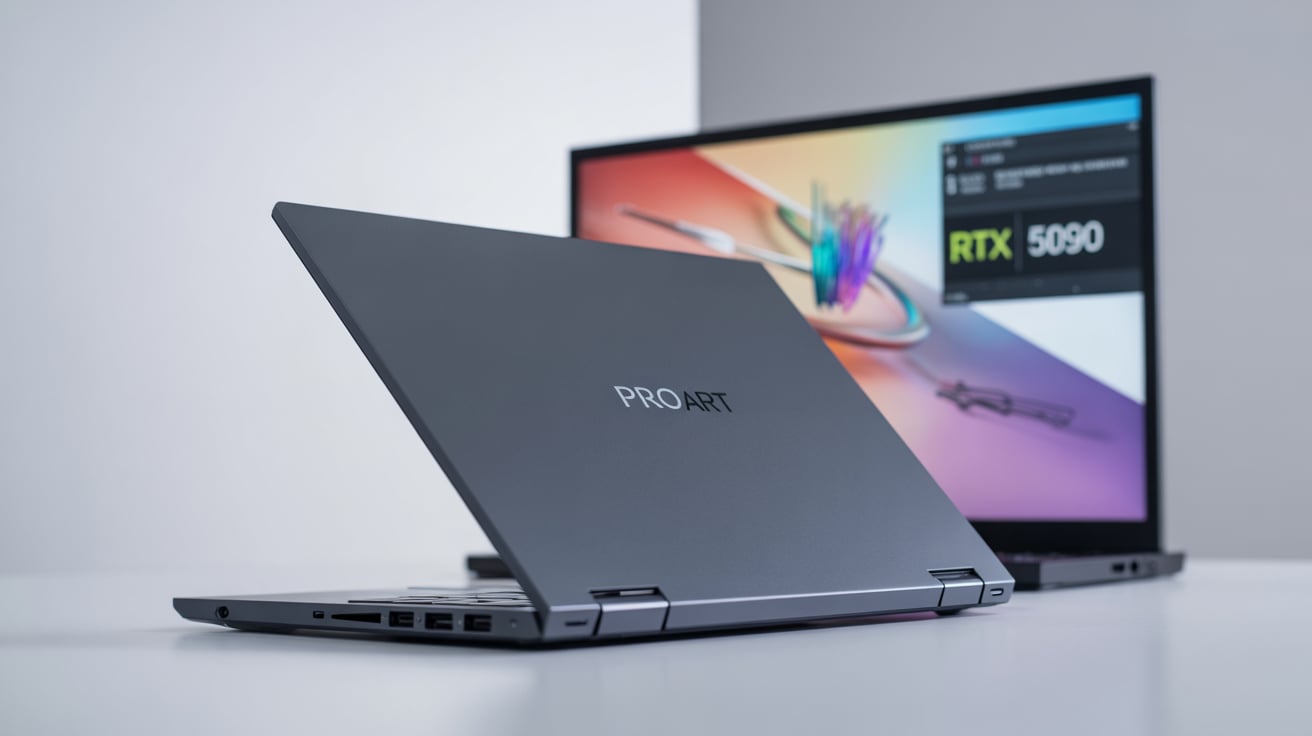
1. Introduction – A New Era for Creative Laptops
In 2025, ASUS surprised the creative world by introducing one of the most advanced laptops ever built — the ASUS ProArt P16, powered by the NVIDIA RTX 5090.
This isn’t your regular laptop. It’s a dream machine designed for filmmakers, designers, animators, and editors who want desktop-level power but in a portable metal shell.
The ProArt P16 belongs to ASUS’s “ProArt” family — a premium range made for creators who depend on accuracy, stability, and performance.
It’s not focused on gaming or flashy lights. Instead, its purpose is clear: help creators build, edit, and design without limits.
With the arrival of the RTX 5090 GPU and AMD’s latest Ryzen AI 9 HX 370 processor, this machine enters a new territory — one where a laptop can truly replace a workstation.
Let’s go deep and explore every part of this beast, from its display and performance to its creative tools and price.
2. Design and Build Quality – Simple but Strong
The first thing that catches your eye about the ProArt P16 is its clean, professional design. ASUS has chosen a sleek Nano Black finish that looks elegant in an office, studio, or on a film set.
There are no glowing gamer logos, no loud textures — just minimalism and purpose.
The body is made from aircraft-grade aluminum, giving it both strength and lightness. When you lift it, it feels solid, yet it’s surprisingly portable for what it offers.
At just around 1.9 kg, it’s lighter than most workstations, and about 17 mm thin, which is quite impressive for such a powerful device.
Keyboard and Touchpad
Typing on the ProArt P16 feels smooth and responsive. The keys have comfortable travel and are quiet — ideal for long editing or scripting sessions.
The touchpad is large and precise, but the magic lies in something special: the ASUS DialPad.
This digital dial, built into the touchpad, lets creators quickly adjust parameters like brush size, timeline zoom, and brightness in creative apps like Adobe Premiere Pro, Photoshop, and After Effects.
It’s a small addition, but once you start using it, you realize how much time it saves.
Ports and Connectivity
The laptop is loaded with ports for professional workflows:
- 2× USB4 (40 Gbps) – lightning-fast for SSDs and docks
- HDMI 2.1 FRL – supports external 8K monitors
- USB-A 3.2 Gen2 – for older accessories
- SD Express 7.0 card reader – a blessing for photographers
- Wi-Fi 7 + Bluetooth 5.4 – latest and fastest wireless tech
These ports mean you won’t need to carry multiple adapters — everything you need is already built-in.
3. The Display – A Canvas for Creation
ASUS calls it the Lumina Pro OLED display, and it’s not just marketing.
This 16-inch panel is one of the finest displays ever placed on a laptop.
Display Highlights
- Size: 16 inches
- Resolution: 4K (3840×2400)
- Refresh Rate: 120 Hz
- Aspect Ratio: 16:10 (great for vertical workspace)
- Colour Accuracy: 100% DCI-P3, Pantone validated, ΔE < 1
- Brightness: up to 1600 nits (HDR peak)
- Touch and Stylus Support: Yes
Real-World Experience
When you open a 4K video or RAW image, the difference is immediate. The blacks are deep, the colours are rich, and every tone looks alive.
Because it’s OLED, each pixel lights up individually — meaning infinite contrast and stunning details even in dark scenes.
For editors and designers, colour accuracy is the most valuable part. Since the screen is factory-calibrated, you can trust that what you see on the screen is exactly what clients or printers will get.
That’s a big deal for professional work.
The 16:10 ratio also gives you extra vertical space, useful for seeing more of your timeline, code, or artwork without scrolling.
And yes, the 120 Hz refresh rate makes everything feel buttery-smooth — scrolling, animations, and even playback of high-frame-rate videos.
4. Performance – Built Like a Studio on Wheels
Now let’s talk about what truly makes this laptop special: its performance.
Processor: AMD Ryzen AI 9 HX 370
This new-generation processor is designed for both performance and intelligence.
It has 12 cores and 24 threads, running at speeds up to 5.1 GHz, and it also comes with an AI engine (NPU) capable of around 50 TOPS (trillion operations per second).
This AI engine helps speed up many modern creative tools — like AI upscaling, noise removal, speech detection, and object recognition.
It’s not just marketing — in real use, it helps reduce CPU load and makes things run smoother.
Graphics: NVIDIA GeForce RTX 5090
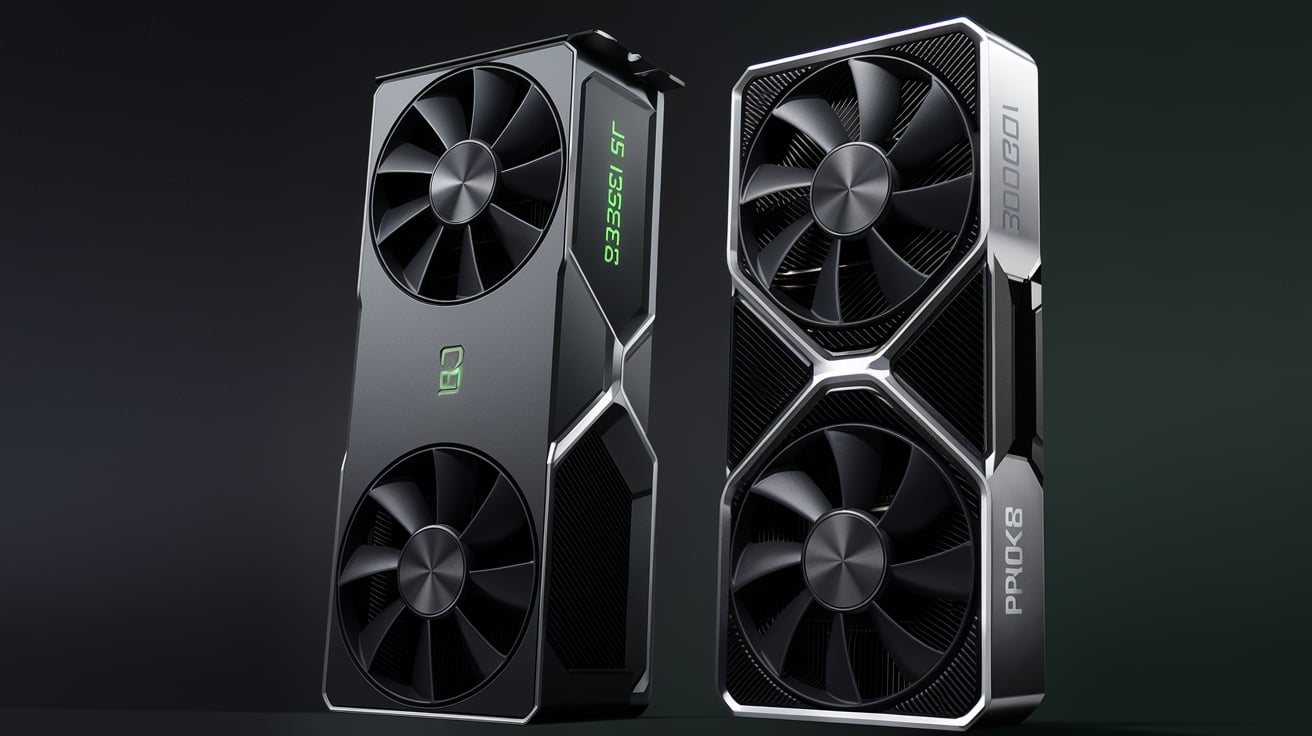
This is the crown jewel. The RTX 5090 Laptop GPU is the most powerful graphics chip NVIDIA has released for laptops.
It brings the same Ada-Lovelace architecture from desktop GPUs, but optimized for mobile use.
- VRAM: Up to 24 GB GDDR7
- Ray Tracing Cores: 4th Gen
- Tensor Cores: 5th Gen (for AI and DLSS 4)
- Encoding: AV1 hardware encoder (great for streamers and editors)
In simple words — this GPU can handle 8K video editing, real-time 3D rendering, AI content generation, and even AAA gaming with ease.
If you open Blender, Unreal Engine, or DaVinci Resolve, you’ll notice how quickly the renders finish.
The fans may spin up, but the system stays remarkably stable even under stress.
Memory and Storage
The ProArt P16 can pack up to 64 GB LPDDR5X RAM and dual 2 TB PCIe 4.0 SSDs.
Large memory means smoother multitasking, while fast SSDs ensure your files and projects load instantly.
If you work with massive video files or 3D assets, this setup feels lightning-fast.
The system boots in seconds, and copying 50 GB of footage feels effortless.
5. Performance in Real Workflows
Let’s see how it performs in real-life creative situations:
Video Editing
When editing 4K or 8K footage in Adobe Premiere Pro or DaVinci Resolve, the RTX 5090 provides ultra-smooth playback.
Color correction, transitions, and heavy effects don’t stutter, even on multiple layers. Rendering that used to take 20 minutes on older laptops now finishes in under 10.
3D Rendering
In Blender, a complex 3D scene that requires ray tracing can render up to 40–50% faster than on the previous RTX 4090 laptop.
The GPU’s 24 GB memory allows you to handle massive scenes without crashes or slowdowns.
Photography and Design
Using Photoshop or Lightroom is pure joy.
Even when working with 100-megapixel RAW images or multi-layered designs, the system doesn’t lag.
The OLED display makes editing photos incredibly satisfying — you can see every fine detail.
AI and Machine Learning
Because of the integrated NPU and Tensor Cores, AI-based tools like background removal, face enhancement, and noise reduction happen in seconds.
If you’re experimenting with AI art, this laptop gives you the power to generate and process results faster than ever.
Gaming (Yes, It Can)
Although the ProArt P16 is built for creators, it can easily handle gaming.
Titles like Cyberpunk 2077 or Forza Horizon 5 run at ultra settings in 4K, delivering frame rates above 90 FPS with DLSS 4 enabled.
However, remember that this laptop focuses on work — not RGB lights or game-centric cooling.
6. Cooling System – Quiet but Effective
Power like this needs proper cooling, and ASUS uses a Vapor Chamber Cooling System with liquid-metal thermal compound on both CPU and GPU.
It spreads heat evenly, keeping temperatures around 80–85 °C under heavy load.
Fans ramp up during rendering, but they remain surprisingly quiet compared to gaming laptops.
The system also includes AI Cooling Modes, which automatically balance fan speed and temperature depending on the workload.
For example, if you’re editing videos, it runs quietly; if you’re rendering, it boosts cooling power automatically.
This smart management keeps performance consistent without constant fan noise.
7. Battery Life and Charging
The ProArt P16 houses a 90 Wh battery, which is quite large.
But since it powers a 4K OLED screen and RTX 5090, heavy use can drain it fast.
- Light use (web, documents): 8–9 hours
- Mixed creative use: 4–5 hours
- Rendering or editing: 2–3 hours
ASUS includes a 200 W power adapter, and the laptop also supports USB-C charging for travel convenience.
In short, it’s powerful but power-hungry — a fair trade-off for what it delivers.
8. Audio and Webcam
Creators also need good audio and video input for online meetings and live sessions.
- Speakers: A quad-speaker setup by Harman Kardon with Dolby Atmos support.
The sound is crisp and balanced — perfect for previewing audio mixes. - Microphone: AI noise-cancelling mic array that removes background noise.
- Webcam: 1080p IR camera with Windows Hello support and AI background blur.
The combination makes it ideal for virtual meetings, client presentations, and live streams.
9. Creative Tools and Software Integration
ASUS has developed a few software tools that come pre-installed to assist creators.
ProArt Creator Hub
A centralized control panel where you can monitor system performance, calibrate the display, and manage fan modes.
You can also assign shortcuts to the DialPad and customize it for Adobe apps.
StoryCube and MuseTree
New AI-powered apps help sort photos and clips using object detection, tags, and automatic organization.
MuseTree even suggests story ideas and concepts based on your current projects.
Studio Drivers
The ProArt series runs NVIDIA’s Studio Drivers instead of Game Ready Drivers, which are optimized for professional applications like Autodesk, Adobe, and Blender.
This ensures greater stability and fewer crashes.
10. Security and Reliability
Professionals need reliability, and ASUS includes business-grade security.
- Fingerprint Sensor integrated in the power button
- TPM 2.0 Chip for hardware encryption
- Webcam Shutter for privacy
- MIL-STD 810H certification for durability (vibration, temperature, drop tests)
These features make it suitable even for enterprise or government work where data protection is essential.
11. Battery vs Performance Mode
The laptop lets you switch between performance profiles.
- Whisper Mode: Fans low, battery efficient
- Balanced Mode: Everyday work
- Performance Mode: Full power, maximum GPU and CPU output
The Performance mode unlocks the true potential of the RTX 5090, allowing up to 150 W of GPU power.
It’s best to use this mode when plugged in.
12. Price and Availability
As of late 2025, the ASUS ProArt P16 (5090 variant) is available in select markets.
- US Price: Around US $3,999 to $4,199 depending on config.
- India Price: Roughly ₹ 3,50,000 – ₹ 3,80,000 (estimated).
It’s expensive, yes — but if you consider what you’re getting, it replaces a high-end desktop plus monitor.
For professionals, that’s a worthwhile investment.
13. Pros and Cons
Pros
- Outstanding 4K OLED display
- Unmatched performance for creators
- Strong build and professional design
- Excellent port selection
- AI-powered workflow features
- Customizable DialPad
- High speed storage and connectivity
Cons
- Expensive
- Limited battery life under heavy use
- RAM is not upgradeable (on-board)
- Some thermal throttling under extended loads
- Not aimed at gamers or casual users
Pros
- Outstanding 4K OLED display
- Unmatched performance for creators
- Strong build and professional design
- Excellent port selection
- AI-powered workflow features
- Customizable DialPad
- High speed storage and connectivity
Cons
- Expensive
- Limited battery life under heavy use
- RAM is not upgradeable (on-board)
- Some thermal throttling under extended loads
- Not aimed at gamers or casual users
14. Who Should Buy the ProArt P16?
Perfect For
- Professional video editors handling 4K/8K projects
- 3D artists and architects using Blender, Maya, Unreal Engine
- Photographers and graphic designers needing accurate colours
- Content creators using AI or machine-learning tools
- Film students and professionals who travel frequently
Not Ideal For
- Office users who just need Word and Excel
- Students with tight budgets
- Users looking for 10-hour battery life
- People wanting light 13-inch ultraportables
If your daily work includes rendering, editing, compositing, or designing, this laptop will feel like a reliable studio you can carry anywhere.
15. Comparison with Other Creator Laptops
Laptop | GPU | Display | CPU | Weight | Price (approx.) | Best For |
ASUS ProArt P16 | RTX 5090 | 4K OLED 120 Hz | Ryzen AI 9 HX 370 | 1.9 kg | ₹ 3.6 L | Professional Editors & Designers |
MSI Creator Z17 HX Studio | RTX 4080 | QHD+ Mini-LED 165 Hz | i9-14900HX | 2.2 kg | ₹ 3.1 L | 3D Modeling & Rendering |
Apple MacBook Pro M3 Max 16″ | M3 Max (40-core GPU) | Liquid Retina XDR 120 Hz | M3 Max | 2.1 kg | ₹ 3.9 L | Video Editing & Color Work |
Dell XPS 16 (2025) | RTX 5070 | OLED UHD+ 120 Hz | i9-15500H | 1.95 kg | ₹ 2.9 L | Graphic Design & Mixed Use |
This table shows that the ProArt P16 is among the most powerful but also the most expensive.
However, it’s the only one with the RTX 5090 and AI Ryzen CPU combo — making it future-ready.
16. Final Verdict – Is It Worth It?
The ASUS ProArt P16 (RTX 5090) is not just a laptop; it’s a portable creative studio.
Every part — from the OLED display to the AI-enhanced processor — is crafted for serious professionals.
It’s the kind of machine you buy once and use for years without feeling limited.
Yes, it’s costly, but if your income depends on editing, designing, or producing, this is an investment that pays itself back through time saved and smoother work.